Why does my DXF not work in SheetCAM or plasma software, and which DXF version should I save?
Updated Nov 11, 2026
Short answer: Splines and newer DXF versions confuse some plasma software. Save as R12 with plain lines and arcs.
Updated Nov 11, 2026
Short answer: Splines and newer DXF versions confuse some plasma software. Save as R12 with plain lines and arcs.
Drop your SVG or DXF file here
or
Free. Nothing is uploaded: the check runs on your own computer.
Marks: open ends cut twice dots and tiny bits text and pictures
Changing these checks the file again.
DXF has many versions and many kinds of curve. Illustrator, Inkscape, DraftSight and others often save smooth curves as splines. Plasma CAM software, SheetCAM in particular, is known on owner forums for drawing splines wrong, showing gaps or flags, or refusing them. Newer DXF versions can also confuse older importers.
The safe choice for plasma is an R12 DXF with only plain lines, polylines and circles, at one-to-one scale with the units saved.
By hand: in Inkscape, Save As and choose "Desktop Cutting Plotter (AutoCAD DXF R12)". In CAD programs, look for an option to save as R12 or to explode splines into polylines.
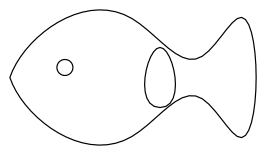
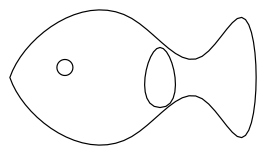
Download: before (DXF) · after (DXF)
A smooth curve stored as a few control points and a formula, instead of lines and arcs. Design programs like them; much CAM software for plasma tables handles them poorly.
R12 is an old, simple DXF version that nearly every program reads. A Langmuir forum user fixed a SheetCAM import problem by exporting the DXF as version 12, on advice from SheetCAM's author.
No. Curves are turned into short straight pieces that stay within 0.02 mm of the true curve, far finer than any plasma cut. Circles are kept as true circles.